


Math & Logic games for kids
4.484.00 Reviews
App Specs
- Version
- 5.8.0
- Updated On
- License
- Free
- Downloads
- 1,000,000+
- Developer
- Speedymind LLC
- Categories
- Educational
- Platform
- Android, iOS
Screenshots
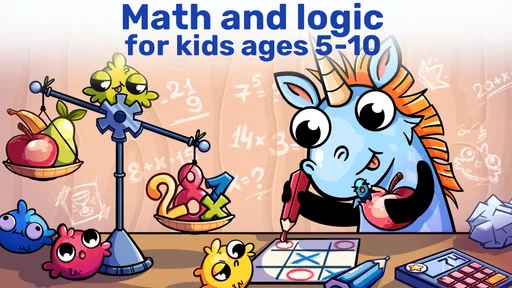
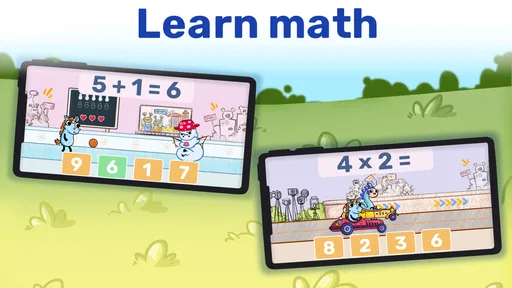
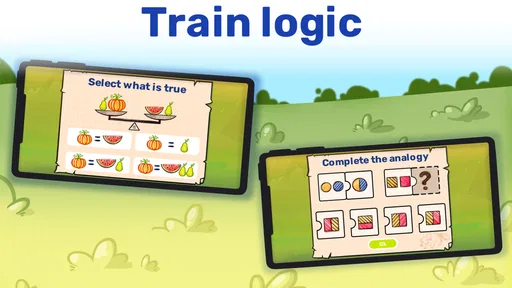
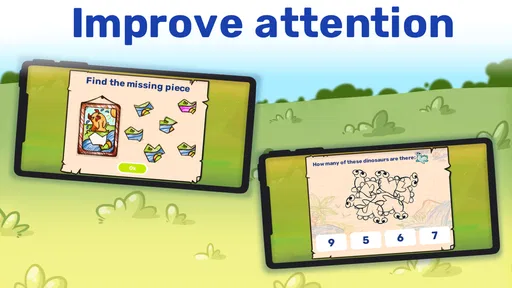


 Analysis by AppCompare
I think of Math & Logic games for kids as the sort of game that can make a shared tablet useful during a quiet patch at home. One child might want a few number exercises while another is drawn to a puzzle, and the app’s mix of activities gives them a choice without turning the device into a video player. I would still treat it as a game to sit alongside everyday learning, not a replacement for a teacher, a workbook, or time spent talking through a tricky idea.
A shared screen needs a little planning
On a family device, I’d agree on a simple routine before handing it over: whose turn it is, when the session ends, and whether the child should ask before switching activities. Those boundaries matter more than any assumption that an app will manage the household schedule. A shared device can make the game convenient, but it also means one child’s session may be interrupted when someone else needs the tablet.
I’d also keep expectations modest about progress when several children take turns on the same screen. If children are at different stages, the activity that feels satisfying to one may be too easy or too demanding for another. Rather than treating a score or a completed puzzle as a family-wide measure of ability, I’d ask each child what they found difficult and let them work at their own pace.
Where it fits into an ordinary day
A practical use is a short, planned play break while dinner is being prepared or while a parent is occupied nearby. I’d offer it as one option, then check in when the child finishes an activity: can they explain how they reached an answer, or what clue helped them solve a puzzle? That small conversation turns screen time into a chance to practise reasoning aloud instead of leaving the game to do all the teaching.
It can also suit a waiting-room pause or a trip when a child wants something more active than watching a show. I wouldn’t count on that convenience in every setting, though. Although the published article describes offline play, families should try the game on their own device before relying on it away from home, especially if access to a particular activity matters for the plan.
Choosing it for the right child
This is most appealing for a child who enjoys tapping through short activities, experimenting with answers, and switching between arithmetic and logic puzzles. It may be less suitable for a child who needs a carefully sequenced lesson, detailed explanations for every wrong answer, or a very specific curriculum. In those cases, a structured learning program or an adult working through problems together may be a better match.
Compared with a paper workbook, the game offers a more playful way to approach practice and may be easier to pick up when a child has only a little time. A workbook, on the other hand, is easier for an adult to annotate and review together, and it avoids handing over a screen. Compared with a general puzzle game, this one has a clearer educational purpose, but a child seeking an open-ended story or action-focused play may not stay interested for long.
Worth Reading Before You Choose

EA SPORTS FC Mobile 26 Is a Bigger Football Game, but It Takes Time

Flipboard Shows What News Apps Must Do Beyond the Feed

Switching to Android Auto Means Rethinking Your Driving Routine

Google Calendar Makes a Crowded Week Easier to Manage

Ludo King Makes the Most of the Minutes Between Plans

Baby Panda World Brings Quick Play to Modern Phones, but Its Game Library Feels Busy
What to consider before installing
The game is free to start, while in-app purchases range from $6.99 to $59.99 per item. I’d look over the purchase options with a child before letting them use a shared device, and keep any household purchasing rules clear. That is especially useful when several people use one tablet: one child’s curiosity about a locked item can otherwise become a surprise conversation for the adult who manages the device.
It is rated for Everyone, which makes it broadly approachable, but that label does not tell you whether its pace or style will suit a particular child. I’d sample an activity together first, then see whether the child can navigate independently and whether the prompts make sense to them. For younger learners, being nearby can help turn a confusing moment into a useful discussion; older children may prefer to explore on their own.
How I’d judge progress and value
Rather than using time in the app as proof that a child has mastered a topic, I’d look for signs that the thinking carries beyond the screen: explaining a choice, spotting a pattern, or trying another approach after an incorrect answer. A useful habit is to ask for one example of something they learned after a session. If the child can describe the reasoning, the game has supported more than quick tapping; if not, it may be worth playing together or choosing a more guided resource.
Math & Logic games for kids is an educational game from Speedymind LLC. It is free to download, has a 4.5 average from around 11,000 ratings, and has passed one million installs. The game was released on April 13, 2022, and its current version is 5.7.0, with Android 7.0 as the minimum requirement. Those details make it a well-established option, though popularity alone cannot tell you whether its activities suit your child.
Fun Meets Learning
First off, let’s talk about the sheer joy of finding a game that feels more like play and less like homework. The Math & Logic games for kids app totally nails this balance. Right from the get-go, it’s bright, colorful, and inviting. You know, the kind of app that makes you feel like you’re doing something super productive while your kid thinks they’re just having fun. Win-win!
Engaging Content
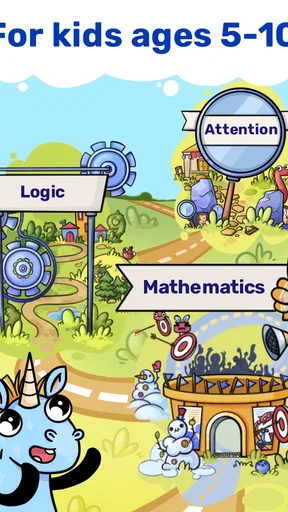
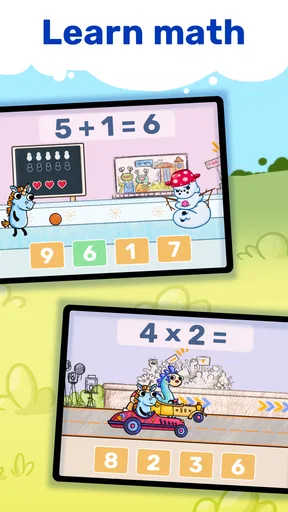
What really caught my eye was the variety of games available. There’s a whole bunch of mini-games that tackle different skills. Whether it's basic arithmetic, problem-solving, or logical reasoning, there’s something in there for every curious kid. And trust me, the progression is smooth. It starts off easy, but just challenging enough to keep them hooked without feeling overwhelmed.
One of my favorites? The puzzle-solving games. They’ve got this cool way of making kids think critically. It’s like watching little gears turn in their heads as they figure out the next move. Plus, the little victories they have? Priceless.
User-Friendly Interface
Let’s be honest, not all apps are user-friendly, but this one’s interface is pretty intuitive. The navigation is straightforward, which is perfect because, let’s face it, we don’t want to spend ages figuring things out. Your kids can easily jump from one game to another without any hassle.
Parental Controls and Feedback
Now, I know what you might be thinking—"What about screen time?" Well, the app’s got some neat parental controls. You can set limits and see what your child has been up to. It even provides feedback on their progress, so you know exactly where they’re excelling or need a little more practice.
Offline Play
Oh, and did I mention the offline mode? That’s right! This app can be a lifesaver on those long car rides or when you’re stuck in a waiting room. No internet? No problem! Kids can still enjoy their favorite games without missing a beat.
Visual and Audio Appeal
Let’s not forget about the graphics and sounds. They’re vibrant and engaging without being too over-the-top or distracting. The sound effects are cute and playful, which adds another layer of enjoyment for the little ones. It’s like a little carnival in your pocket!
Encouraging Healthy Competition
The app also introduces some friendly competition. Kids can earn badges and compete in challenges. It’s a great way to motivate them and add a bit of excitement to their learning journey. Seeing them light up after earning a new badge is just the best.
In conclusion, if you’re on the hunt for an app that combines education with entertainment, the Math & Logic games for kids is definitely worth checking out. It’s designed with kids in mind but has enough substance to keep parents happy too. So go ahead, give it a download, and watch your kiddos embark on a fun-filled educational adventure!
My household verdict
For me, the best reason to try it is its easy entry point: a child can move between number practice and logic puzzles without the session feeling like another lesson. I’d use it in short stretches, stay available for questions, and keep purchase expectations and turn-taking clear on a shared device. That approach makes the game a helpful extra rather than an unsupervised substitute for learning together.
There are trade-offs. The playful presentation and varied mini-games won’t suit every child, and families wanting a tightly guided course, extensive written feedback, or screen-free practice should choose something more structured. The app’s rating of Everyone is reassuring as a broad age classification, but it is still worth checking whether the activities feel right for your child. Overall, I’d recommend giving it a try if your household wants an approachable way to make spare moments more thoughtful, while keeping an adult involved in the boundaries and follow-up.
Pros
- Enhances critical thinking skills.
- User-friendly interface for kids.
- Variety of puzzles and challenges.
- Encourages independent learning.
- Regular updates with new content.
Cons
- Some levels are too challenging for young kids.
- In-app purchases can be distracting.
- Limited offline functionality.
- Occasional ads interrupt gameplay.
- Requires constant internet connection.
FAQs for Math & Logic games for kids
What age group is suitable for Math & Logic games for kids?
Math & Logic games for kids are typically designed for children aged 4 to 12 years. These games are crafted to cater to various developmental stages, offering increasing levels of difficulty. They focus on building foundational skills in math and logic, making them ideal for preschoolers to pre-teens.
How do Math & Logic games for kids enhance learning?
These games enhance learning by combining educational content with engaging gameplay. They often include puzzles, quizzes, and interactive challenges that promote critical thinking and problem-solving. By integrating fun with education, children are more likely to develop a positive attitude towards learning math and logic skills.
Are there in-app purchases or ads in these games?
Many Math & Logic games for kids offer free versions with optional in-app purchases to unlock additional content or features. Some might contain ads, especially in free versions. It is advisable for parents to review the app’s description and settings to manage purchases and ads appropriately for their children.
Can these games be played offline?
Most Math & Logic games for kids offer offline play, allowing children to enjoy the games without an internet connection. However, some features or updates might require online access. Checking the app’s details before downloading can ensure compatibility with offline usage needs.
What platforms are Math & Logic games for kids available on?
Math & Logic games for kids are generally available on both Android and iOS platforms. They can be downloaded from the Google Play Store or Apple App Store. Checking device compatibility, such as required operating system versions, ensures smooth installation and gameplay.


